PID Flight School: Teaching a Control Loop as a 3D Game
I turned the PID demonstration from my Connected Embedded book into an eight-mission 3D game with Claude Code. This short post is about what that means for teaching.

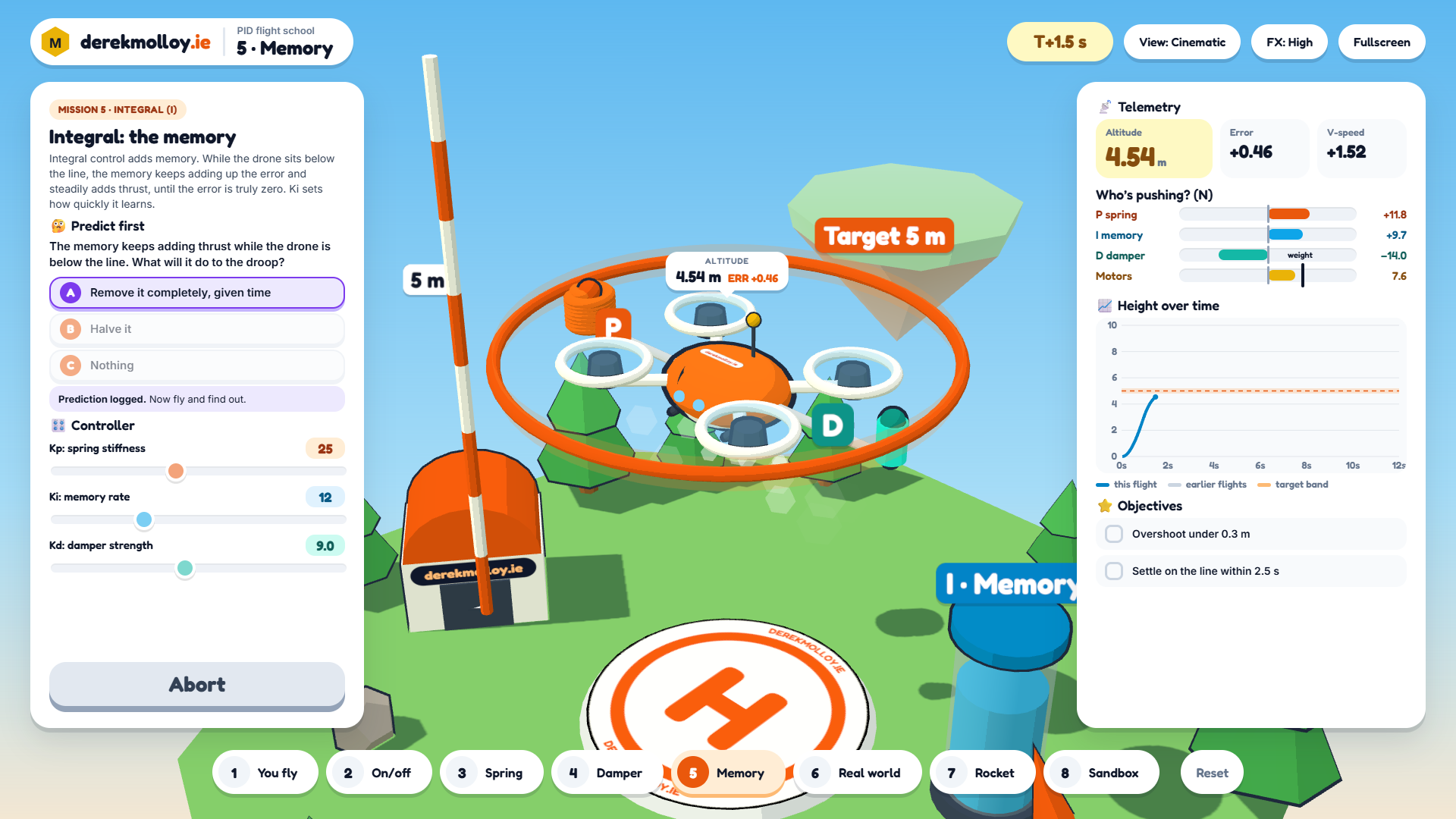
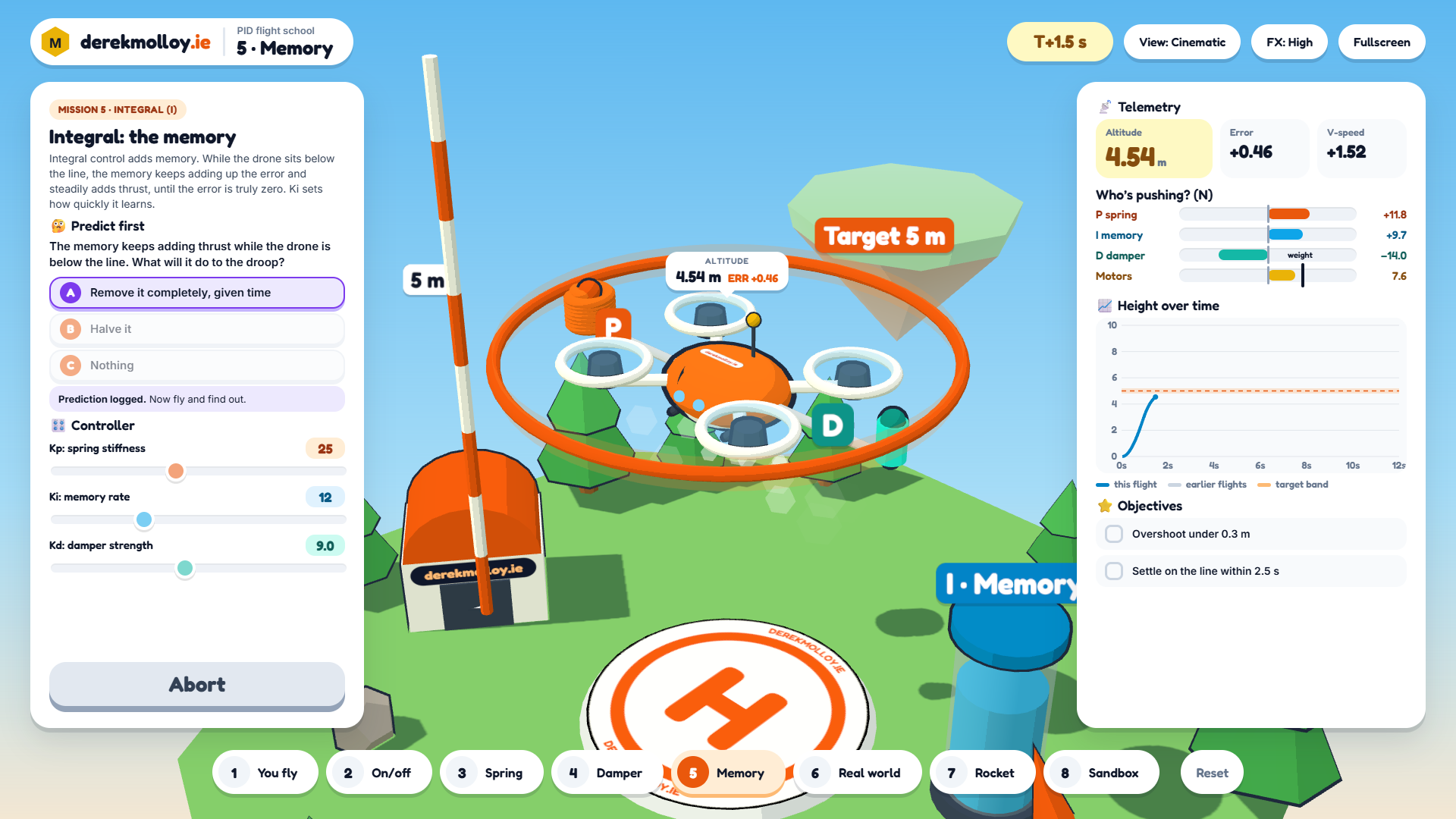
As part of my Connected Embedded module at DCU I use PID control as an interesting example of a time-critical processing loop on embedded MCUs. When I refresh PID control concepts I draw the same picture every year. The proportional term is a spring that pulls the drone towards the target height. The derivative term is a damper that resists fast movement. The integral term is a memory that fills while the drone sits below the line and keeps adding thrust until the error is gone. Students follow the picture on the board, but they never get to try it themselves.
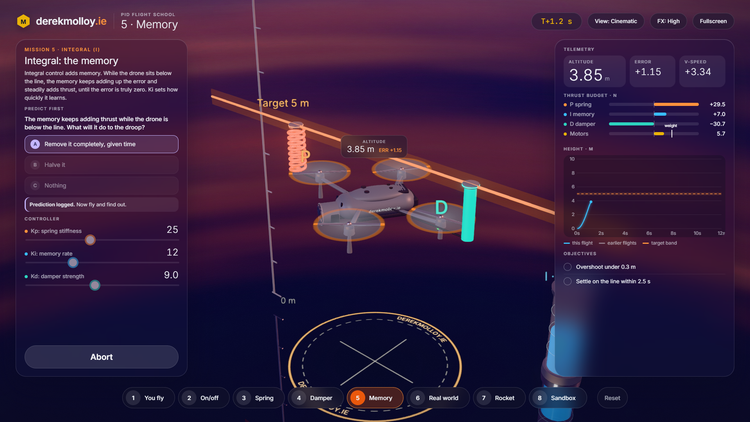
PID Flight School is that picture as a game/simulation. It runs full screen in the browser and has eight missions: you fly the drone by hand, then on/off control, the spring, the damper, the memory, the real world (sensor noise, a parcel drop and gusts), a rocket landing and a sandbox. Each mission asks you to predict what will happen before you can launch. The answer is revealed after the flight, beside the height trace.
Where it came from
The physics and the teaching text come from the PID demonstration in my Connected Embedded Systems book, a 2D React component that I had already built and tested. I asked Claude Code to build a 3D version with three.js, with the spring, the damper and the memory jar drawn on the drone so that you can see each term grow and shrink as it flies. The engine and the questions are copied unchanged from the book component, so the game and the book use the same physics and the same wording.
Claude Code Opus 5.5 produced four quick style probes based on my prompts and design hints, and I chose two to build in full. This is the Diorama style: a daylight floating island with a cel-shaded toy drone. It runs well on most laptops.
What this means for teaching
For most of my career the gap between "I can picture how to teach this" and "my students can use it" was weeks or months of development, so most of those pictures stayed on the whiteboard. With a coding agent the costly part is now describing the idea clearly: what the student should see, what they should predict before they act, and what the right answer is and why. That is the same work an educator does when planning a lecture.
It still needs an educator's judgement – I checked every mission against the 2D version, asked for changes as the versions evolved. The agent writes the code, but I decide whether it teaches the right thing.
My view in 2026 is that if we can imagine a way of teaching a topic, we can now build it and put it in front of students in days, rather than months.
Try it yourself
- PID Flight School, Diorama (opens full screen, laid out for 1920 × 1080).
- The book test page, which also has the original 2D versions.
Space launches, C changes the camera view and 1 to 8 select a mission. Drag to orbit the camera. Your predictions are saved in your browser.
What it does not model: the drone and rocket move only up and down. There is no sideways drift or battery sag, and a gust is a short push, not real turbulence.
Hopefully you will agree with me that this is a fun way to demonstrate the different elements of PID control and to build a memorable learning experience.
Have Fun!